



- Product Information
- Features
- Specifications
- Technical Information
- Download
- Order
|
The Magnifier
Download The Magnifier The Magnifier Frequently Asked Questions The Magnifier Technical Support View The Magnifier Literature (PDF) View Order Pad The Magnifier User's Guide The Magnifier User's Guide (Manual PDF) The Magnifier User's Guide (EBook PDF) The Magnifier User's Guide (US Letter PDF) The Magnifier User's Guide (A4 PDF)
Amazon.com customers! You can also buy The Magnifier direct from Amazon.com:
IMG Products IMG's Commercial Products IMG's Assistive Technology Products IMG Home Page |
Product InformationThe MagnifierThe First Truly Affordable Full Screen Magnifier Software for WindowsThe Magnifier for Windows 11 / 10 / 8.1 / 8 is now available! (32 & 64 bit)
See "The Magnifier" in action (37 sec.)Screen shots (click for full size image)The Magnifier as a Window, basic operation, 2x magnification 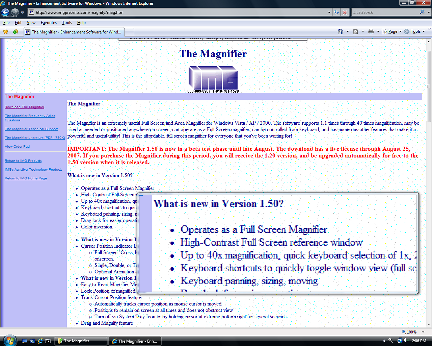
Click for Full Size image The Magnifier in Full Screen operation, Reference window shown, 3x Magnification 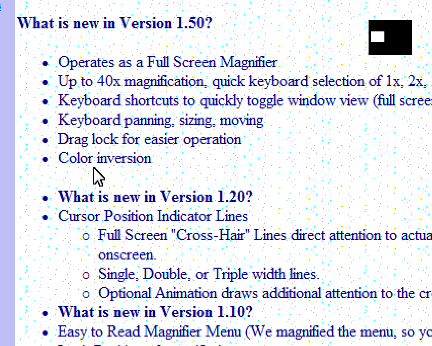
Click for Full Size image The Magnifier as a circle 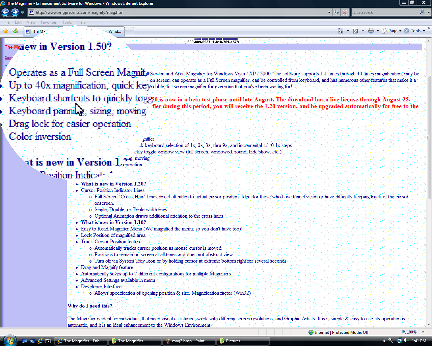
Click for Full Size image What Users are saying...
Why do I need this?The Magnifier is ideal for individuals that need visual assistance, work with differing screen resolutions, do presentations and/or training, and Graphic Artists. It is simple & easy to use, its operation is automatic, and it is an ideal enhancement to the Windows Environment. How do I use it?Load it, position it, and reference it as needed - it is that EASY! You can Zoom (full screen / window toggle) with Alt-Z. You can view (hide / show toggle) the Magnifier with Alt-S. Invert colors (toggle) with Alt-I. Toggle cursor display with Alt-C. Select 2x magnification with Alt-2, or 3x with Alt-3. And those are the basics - there are many more useful and advanced features... For a more detailed list of keyboard shortcuts, and other user options, click here How does the demo work?The demo is a "limited working copy for evaluation" which means you can use it for up to 1 hour at a time, then you have to restart it. It will continue to work up to 100 hours total to let you evaluate how it works for you. Then it stops working unless you purchase it.If you want to try before you buy, please print this great Hot-key Shortcut Menu, then Download the Magnifier software. How does the licensing work?The license is a "personal license" which means you can use the license key and registered serial number for unlocking any of the available downloads for the current version of The Magnifier. If you have a laptop running Vista and a home PC running XP, a single license key will work for both (after installing the appropriate download of The Magnifier). You may also install and license on a USB drive (using the appropriate download) using your license key and serial number. How do I purchase a license?Download the software, make sure it works for you, then click "Purchase License Now" in the IMG License Manager. It's that easy! The downloads available on our website are the actual software products. If unlicensed, then they are run-time limited, and will shut down in about an hour (and can be restarted up to 100 times). When licensed, they are not run-time limited in any way. The Story of "The Magnifier" (How this product was created)If you've read this far, then you might be interested to hear how this product came to be. Originally there was a magnifier panel on our on-screen keyboards (now the My-T-Soft family of on-screen keyboards), and we were told by some people that this was all they wanted - a magnification tool. So in 1997, we spent some time and released the first "windowed" magnifier. After some updates in 1998, the product cruised along for many years, and we often had questions about "full-screen magnification". When Microsoft released Windows Vista in 2007, they included a magnification API for the first time, and we felt the time was right to revisit the product and add in features and capabilities culled from user suggestions and available technology - the result is the 1.50 release, which includes everything everyone has asked for. The Magnifier delights many users, and many find it invaluable. This is a product created by customers, a great utility, ideal for many, truly affordable, and worth the download to see if it is right for you. If you want to try before you buy, simply Download the Magnifier software - when unlicensed, it operates as a fully functional demonstration version, and is easy to license directly on your PC. Software RequirementsWindows 11 / 10 / 8.1 / 8 / 7 / Vista / XP / 2000 Compatible / Safe
Works with ALL Windows applications. Clean / safe - certified and awarded the "100% CLEAN" Award by SoftPedia - no viruses, malware, spyware, trojans, backdoors, etc.
|


Features
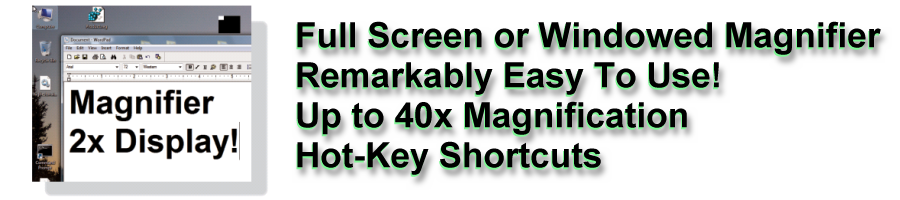
Up to 40x Magnifier for ALL windows applications
Full screen operation (supports multiple monitors)
Resizable window(s) for complete flexibility.
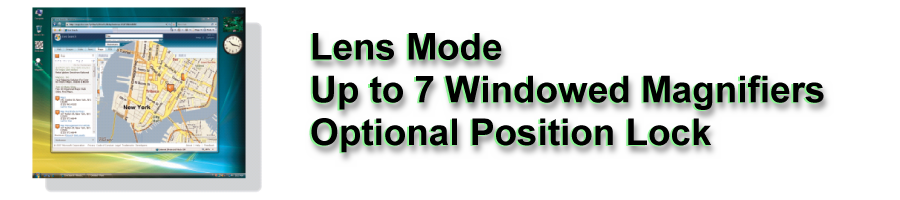
Up to 7 windowed Magnifiers can be running at the same time
The Magnifier tracks mouse cursor and tracks text caret while typing
The Magnifier also can track dialogs and the keyboard focus through lists, menus, icons, and other selectable items
400 different Magnification settings 1x, 1.1x, 1.2x ... 39.9x, 40x
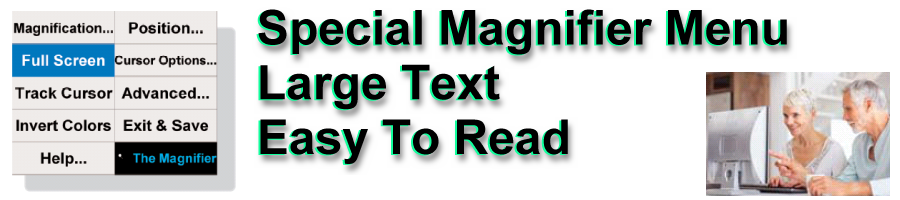
The special Magnifier Menu is easy to read.
Cursor location lines to find cursor
Cursor Location Lines are sizeable, color is selectable, and can even animate
Auto Position option to move away from cursor
Lock position to magnify fixed screen location
Lens View Mode
Useful aid for visually impaired individuals
Inverted colors option for high-contrast viewing
Optional cursor display in magnified window
Developer Tool Kit and Extensions
Microsoft Windows 11 / 10 / 8.1 / 8 / 7 / Vista / XP / 2000 Compatible
Keyboard Interface for managing and controlling The Magnifier
End-user and Developer Support
What's new in Version 1.50?
- Operates as a Full Screen Magnifier
- Easy to Use Toolbar Controller
- High-Contrast Full Screen reference window
- Up to 40x magnification, quick keyboard selection of 1x, 2x, 3x, thru 9x, and incremental +/- 0.1x steps
- Keyboard shortcuts to quickly toggle window view (full screen, windowed, round, hide/show, etc.)
- Keyboard panning, sizing, moving
- Magnifies as you type, or move around with the keyboard
- Drag lock for easier operation
- Color inversion
- Transparency settings
- Round (circle) view (like a real old-fashioned magnifying glass)
- What features were added in Version 1.20?
- Cursor Position Indicator Lines
- Full Screen "Cross-Hair" Lines direct attention to actual cursor position. Ideal for those who have tunnel vision or have difficulty keeping track of the cursor onscreen.
- Single, Double, or Triple width lines.
- Optional Animation draws additional attention to the cross hairs
- What features were added in Version 1.10?
- Easy to Read Magnifier Menu (We magnified the menu, so you don't have too)!
- Lock Position of magnified area
- Track Cursor Position feature
- Automatically tracks cursor position as mouse cursor is moved
- Positions to remain on screen at all times and does not obstruct view
- Turn off via System Tray Icon or by holding cursor at extreme bottom right for several seconds
- Drag and Magnify feature
- Automatically saves up to 7 different configurations for multiple Magnifiers
- Advanced Settings available in menu
- Developer Interface
- Allows specification of opening position & size, Magnification factor (Win32)
Specifications
The Magnifier screen magnification software written as standard Windows application- Compatible with all properly written Windows applications
- Developed in C/C++ - written at same level as Windows operating system for maximum capabilities
- Accesses Windows API via standard interfaces/System DLLs - No frameworks or special environment required
- IMG Developer's Kit extensions, remote access control pieces available
- Support for all Windows variations since Windows 3.0
Technical Information
The Magnifier is a standard Windows Application and does not require any special drivers, and should work with all keyboard and mouse emulation drivers that are compatible with the ones that ship with Microsoft Windows.
The Magnifier interfaces with the system via the Windows API, and is written to be compatible with any normal Windows application. Certain games and DirectX type interfaces will not operate correctly with The Magnifier (The Magnifier does not use video drivers). Also, because of this, any video issues or display problems are most likely related to the system and not to The Magnifier software. Always make sure you have the most up-to-date video driver for your video hardware.
Voluntary Product Accessibility Template (VPAT)
Order - The Magnifier
The Magnifier Suggested Retail Price is US $49.95.
- Want The Magnifier delivered on a DVD? Add $10.00US (plus Shipping)
- Want to take The Magnifier ANYWHERE YOU GO? Add $20.00US (plus Shipping)
(comes factory installed and licensed on our "Insert & Run Anywhere" USB Drive). - Supports: Windows 11 / 10 / 8.1 / 8 / 7 / Vista / XP / 2000
- Catalog #: 12202
Just want to license electronically?
Download and install the software, then click on "Purchase License Now" from the License Manager!




Looking at The Magnifier for a school, library, or institutional site or enterprise license? Prices start at $299.95
We also offer OEM & Reseller discounts, Keyless licensing, Image Ready integration, and Programming support.
Please call 800-889-0987 (+1 818-701-1579) or contact IMG Sales for assistance.
